> ## Documentation Index
> Fetch the complete documentation index at: https://docs.personal.ai/llms.txt
> Use this file to discover all available pages before exploring further.
# Persona Directives
Persona Directives are alternate instruction sets that adjust how a single persona responds across different channels or DMs—without needing to create new personas.
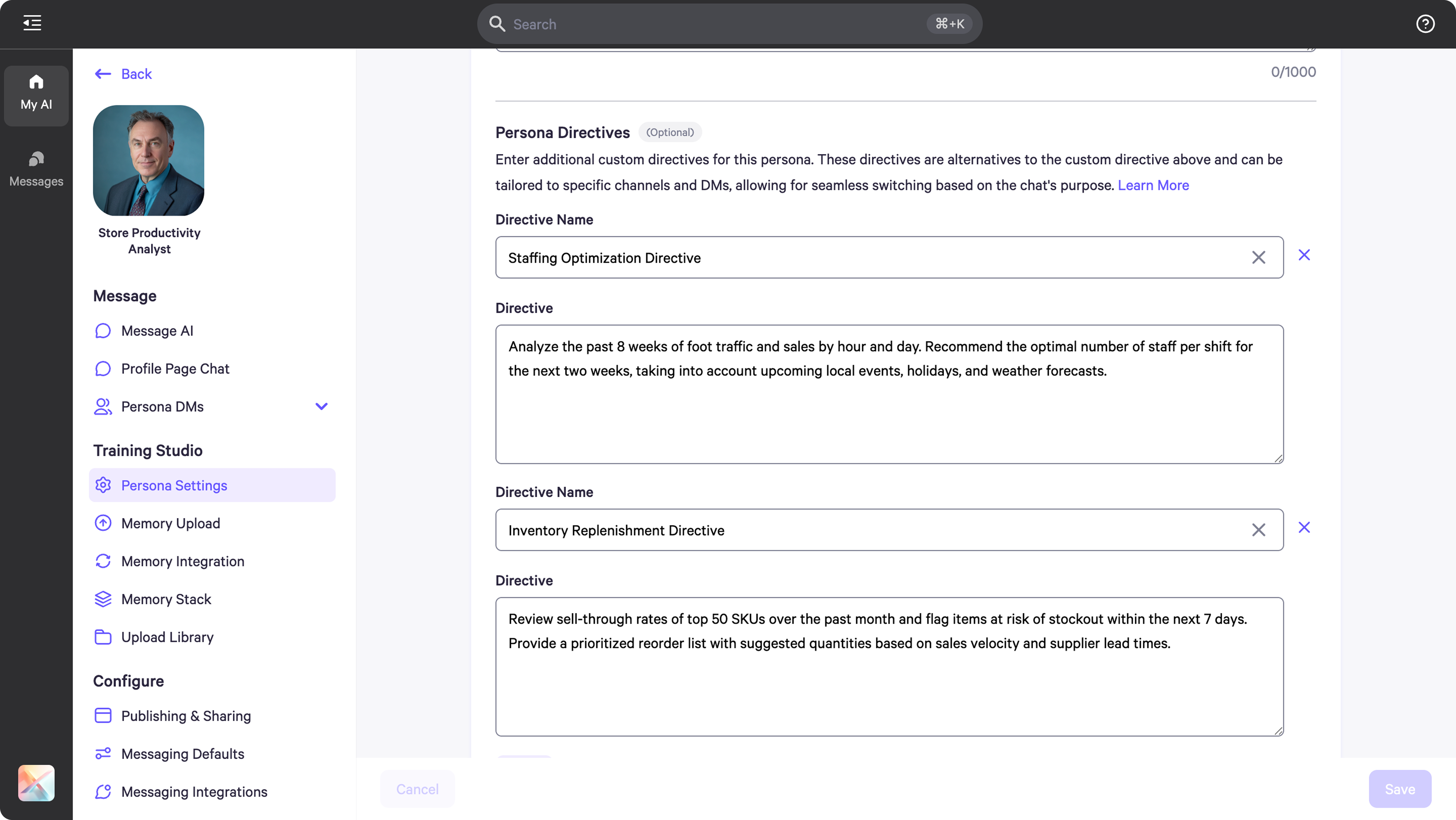
* To create or edit **persona directives**, go to **Persona Settings** under the **Training Studio** tab.
* For example, if you have a custom directive set for a Store Productivity Analyst Persona, you can add additional instructions under Persona Directives by scrolling down in the Persona Settings.
* These can be deployed in **DMs** and **Channels** depending on the audience the persona is intended for or the task it needs to handle there.
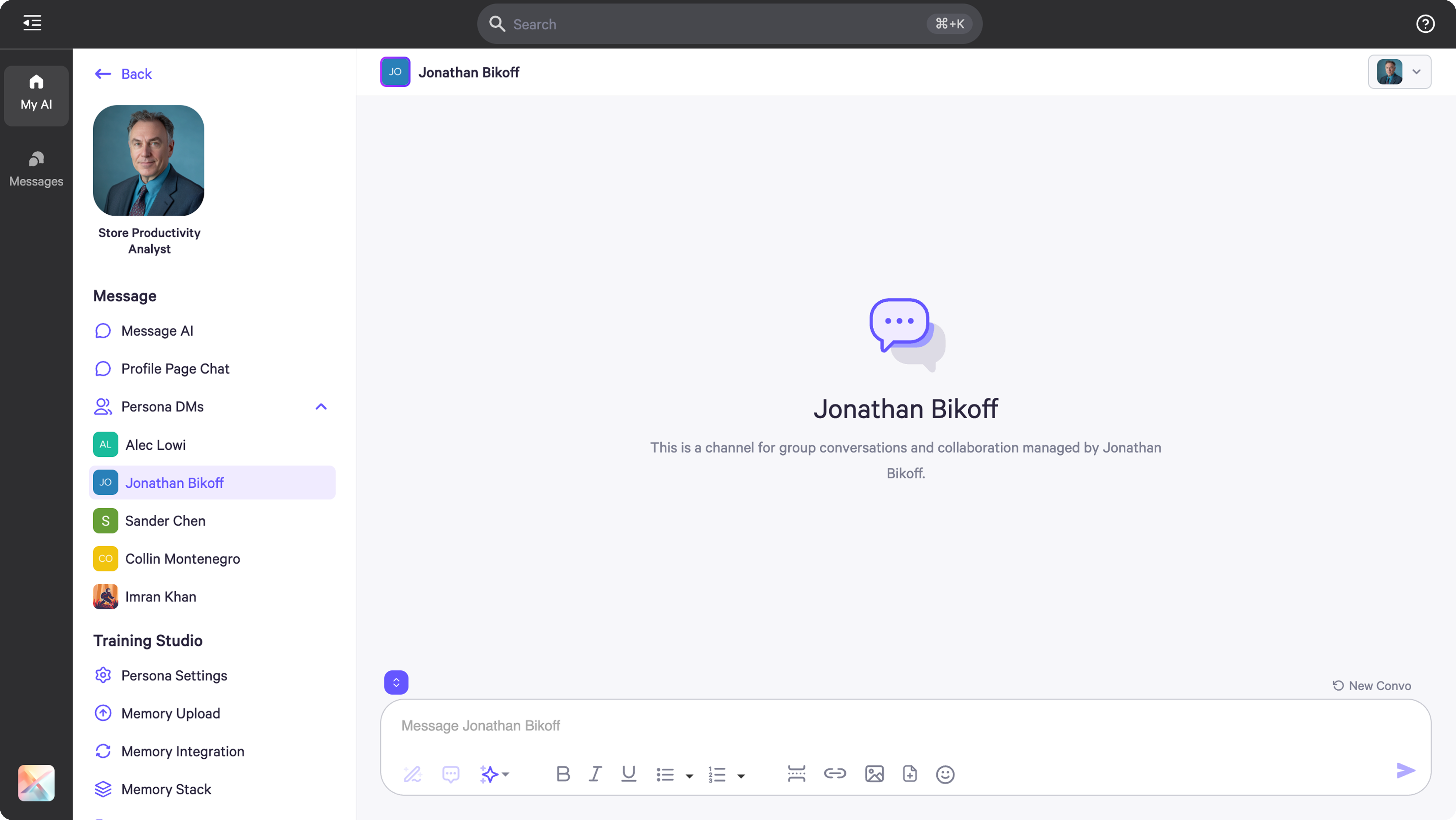
 * In DMs, you can assign a **different Persona directive** to each workspace member based on their role and engagement needs with the AI.
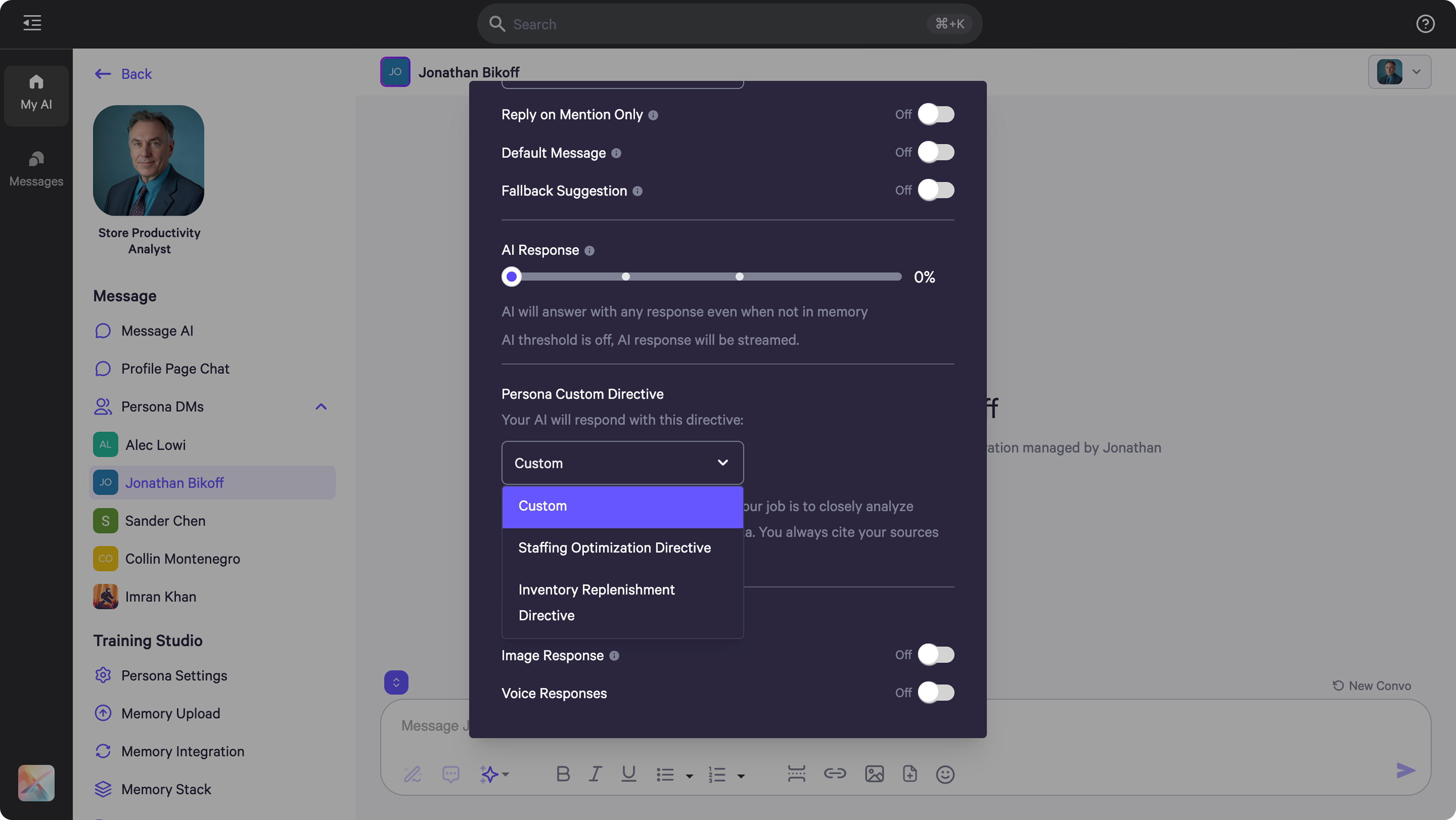
 * Enable this by clicking on the **AI Control** menu in the top right corner, then click **Default AI**, and scroll down to select which persona custom directive to apply.
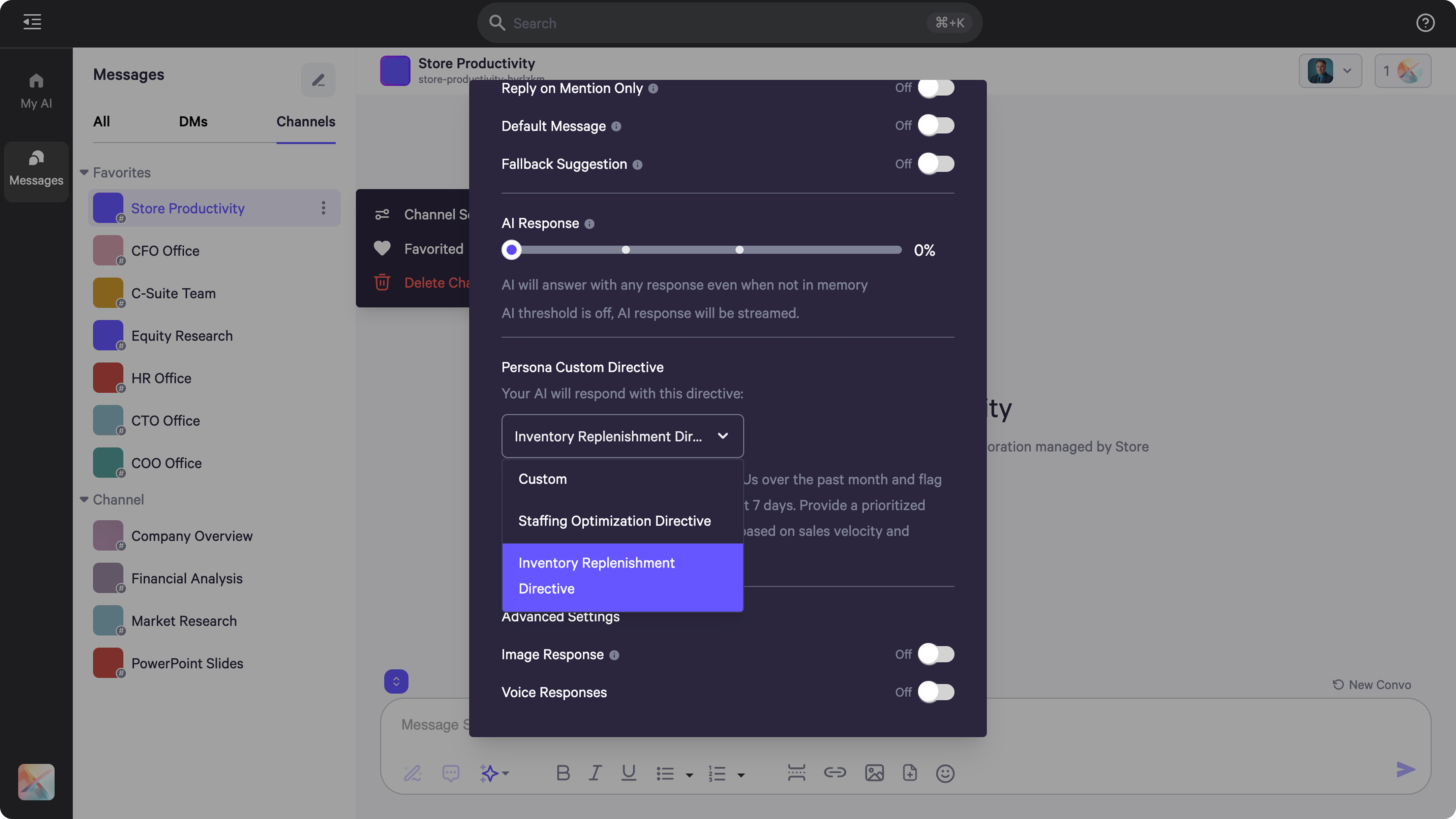
 * In **Channels**, these directives are useful if you want to customize each persona's directive based on the purpose of the channel or the audience engaging in it.
* Enable this by clicking on the **AI Control** menu in the top right corner, then click **Default AI**, and scroll down to select which persona custom directive to apply.
* In **Channels**, these directives are useful if you want to customize each persona's directive based on the purpose of the channel or the audience engaging in it.
* Enable this by clicking on the **AI Control** menu in the top right corner, then click **Default AI**, and scroll down to select which persona custom directive to apply.