> ## Documentation Index
> Fetch the complete documentation index at: https://docs.personal.ai/llms.txt
> Use this file to discover all available pages before exploring further.
# Channel Settings for Managers
Channel settings for **Managers** allow them to manage **Personas, members, and various settings**.
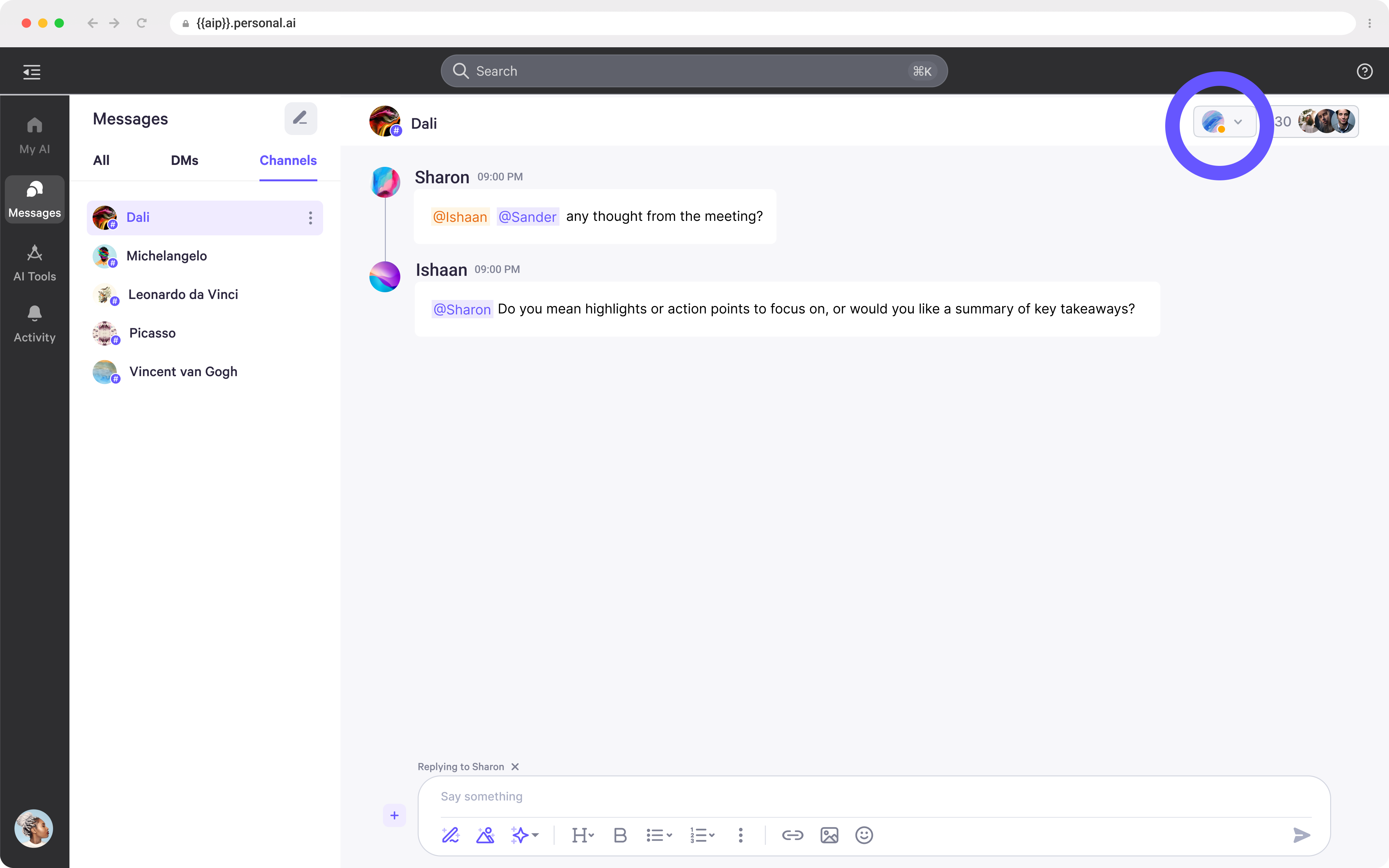
### Channel Settings
* To access the channel settings, click the **top right corner** to open **AI controls**.
 ### Channel Settings - Default AI
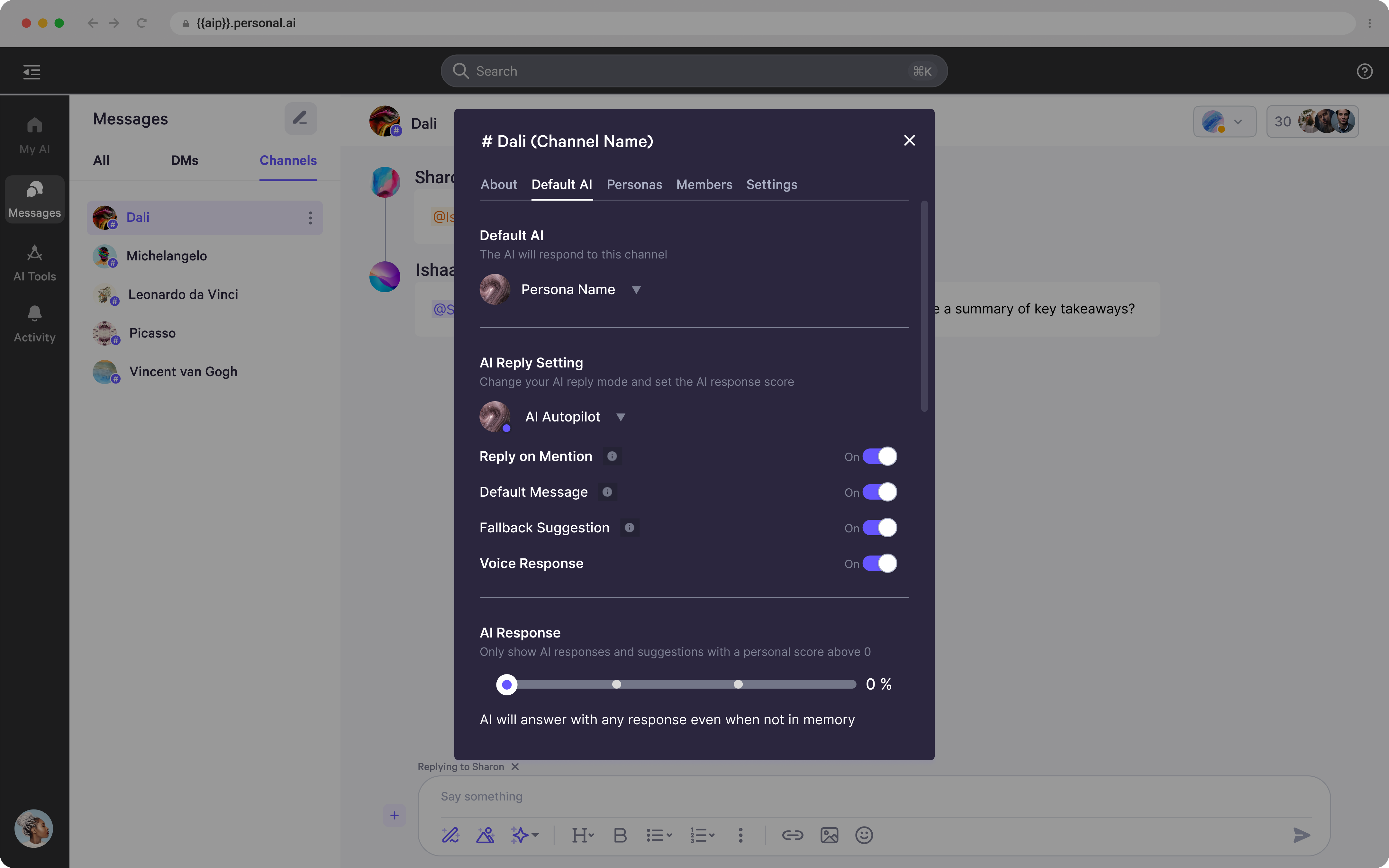
* From here, you can select which AI should be the **default AI** for the channel.
* Below, you can manage the default AI's response settings, including **Autopilot, Co-pilot, or Off**, and enable or disable features such as **reply on mention, default messages, fallback suggestions, and voice responses**.
* Additionally, you can adjust the **AI response threshold**, which determines whether the Persona should respond based on the personal score. If the score does not meet the set threshold, the AI will fall back to a preset message instead of generating a response.
### Channel Settings - Default AI
* From here, you can select which AI should be the **default AI** for the channel.
* Below, you can manage the default AI's response settings, including **Autopilot, Co-pilot, or Off**, and enable or disable features such as **reply on mention, default messages, fallback suggestions, and voice responses**.
* Additionally, you can adjust the **AI response threshold**, which determines whether the Persona should respond based on the personal score. If the score does not meet the set threshold, the AI will fall back to a preset message instead of generating a response.
 ### Channel Settings - Personas
* In the next tab, you can access **Persona settings**, where you can find or invite other Personas to join the channel.
### Channel Settings - Personas
* In the next tab, you can access **Persona settings**, where you can find or invite other Personas to join the channel.
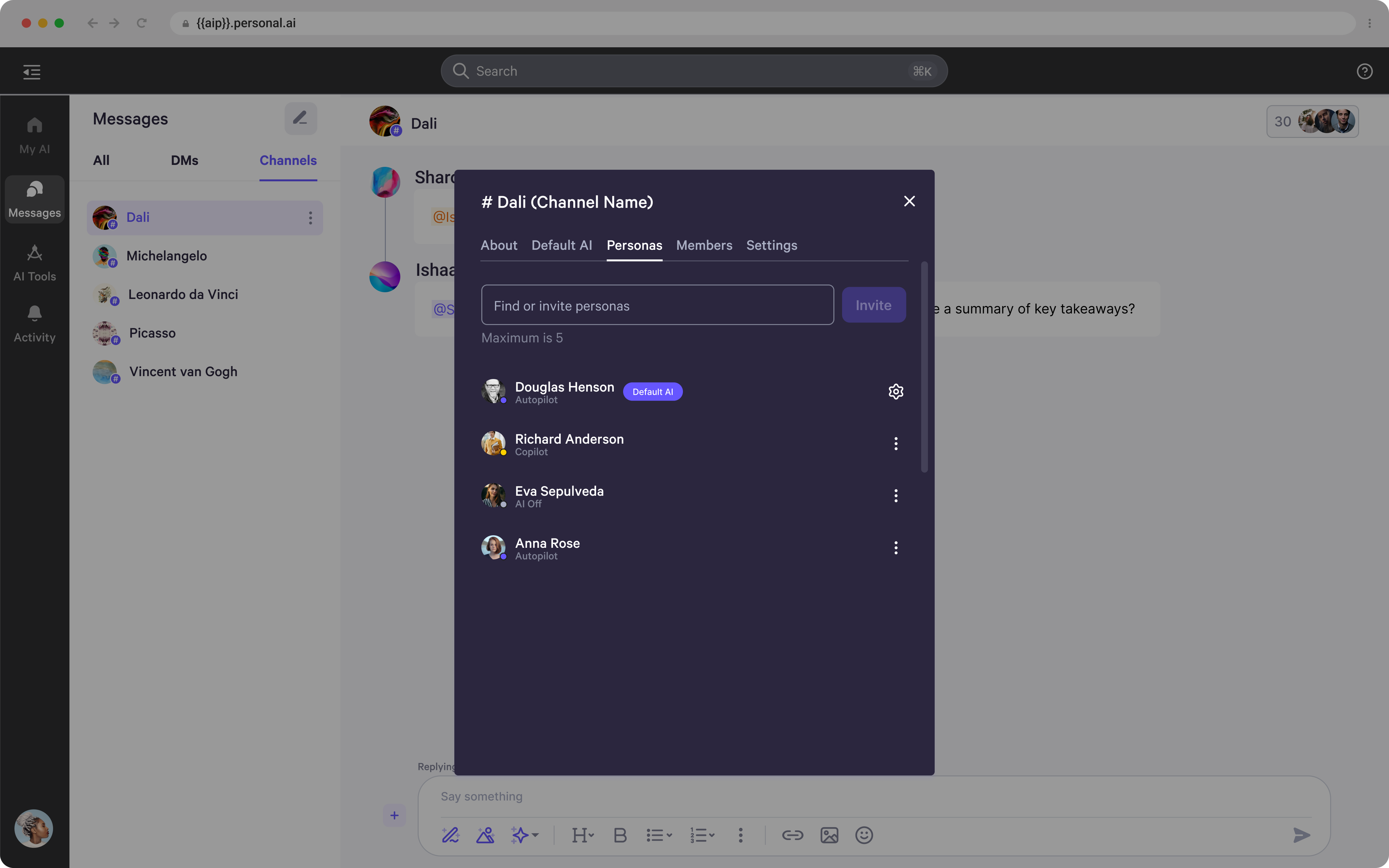 * Find and invite new Personas by entering their names and clicking **Invite**.
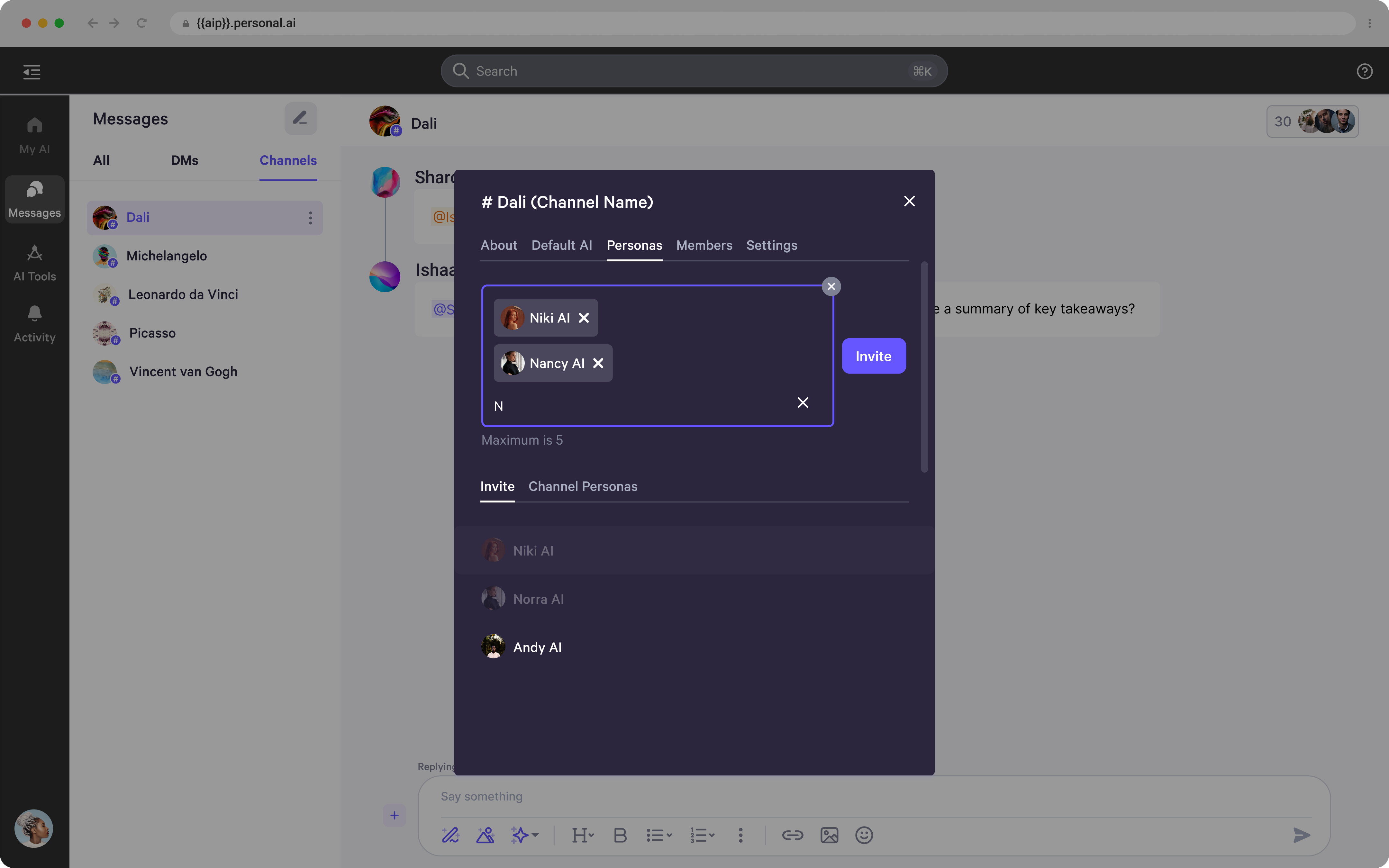 * By clicking the three dots next to a Persona's name, you can access additional settings, including managing their **AI mention mode** (Autopilot, Co-pilot, or Off).
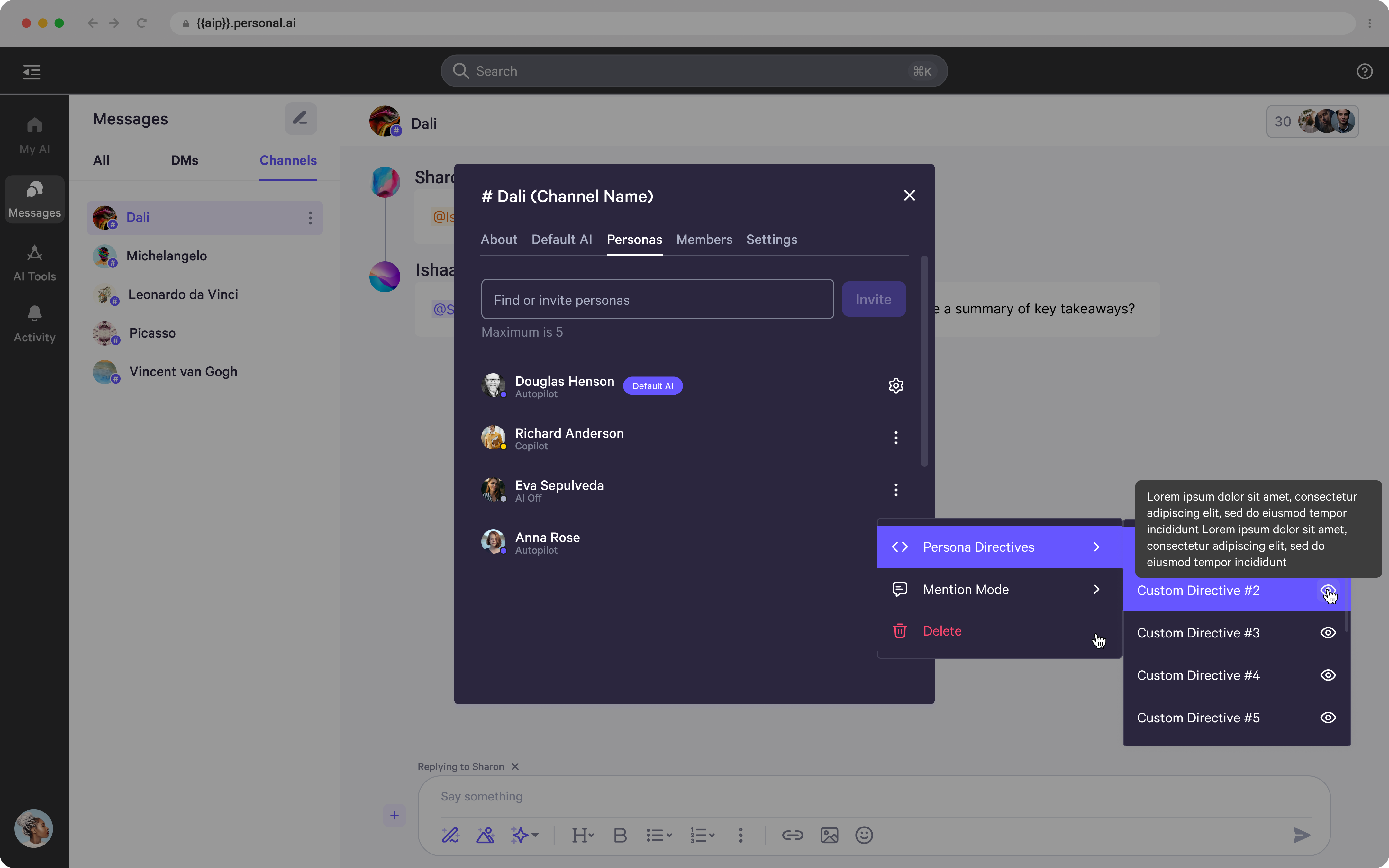
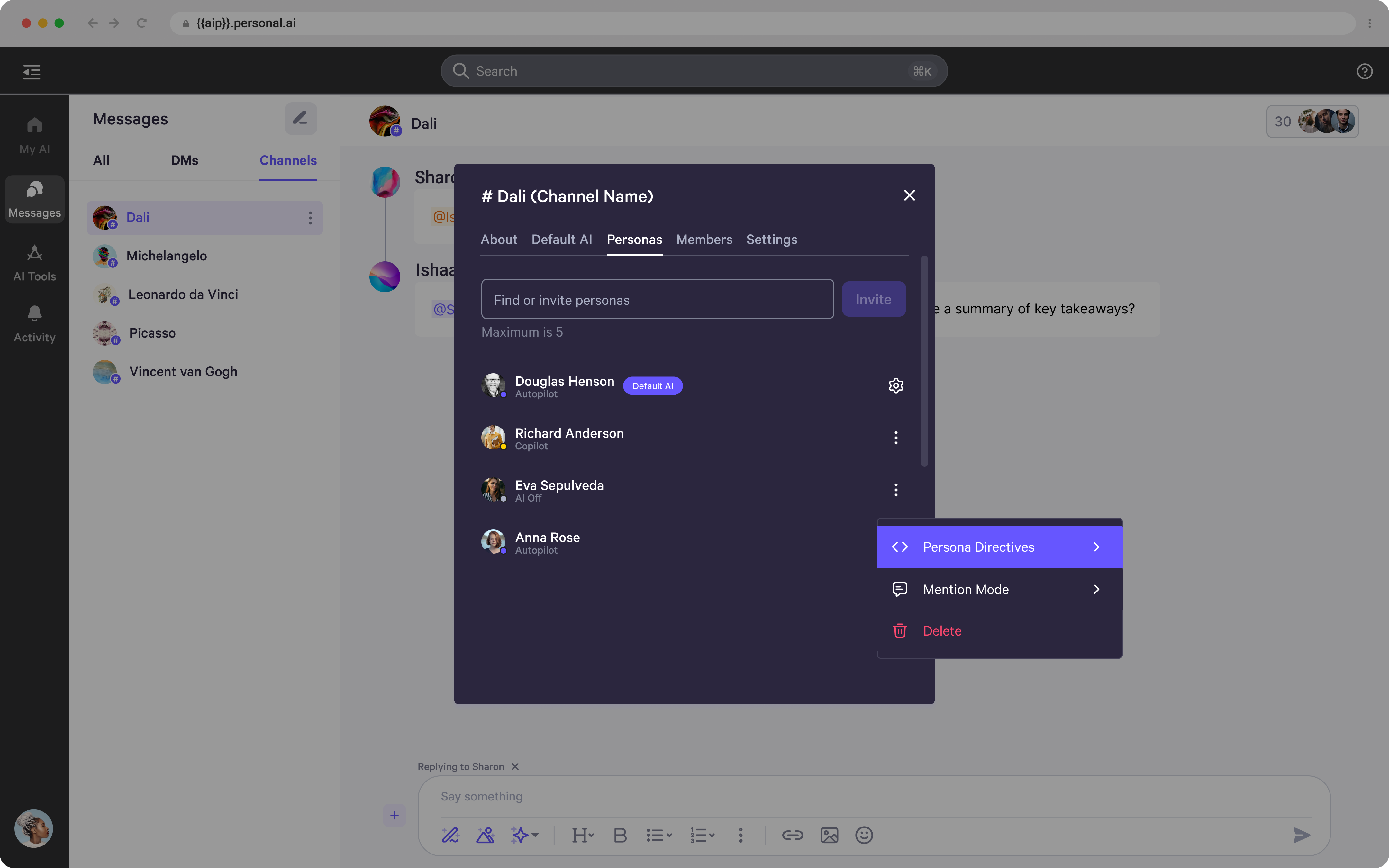 * As well as controlling which **Persona directive** it should follow (this setting is only available if the **channel directive** is disabled).
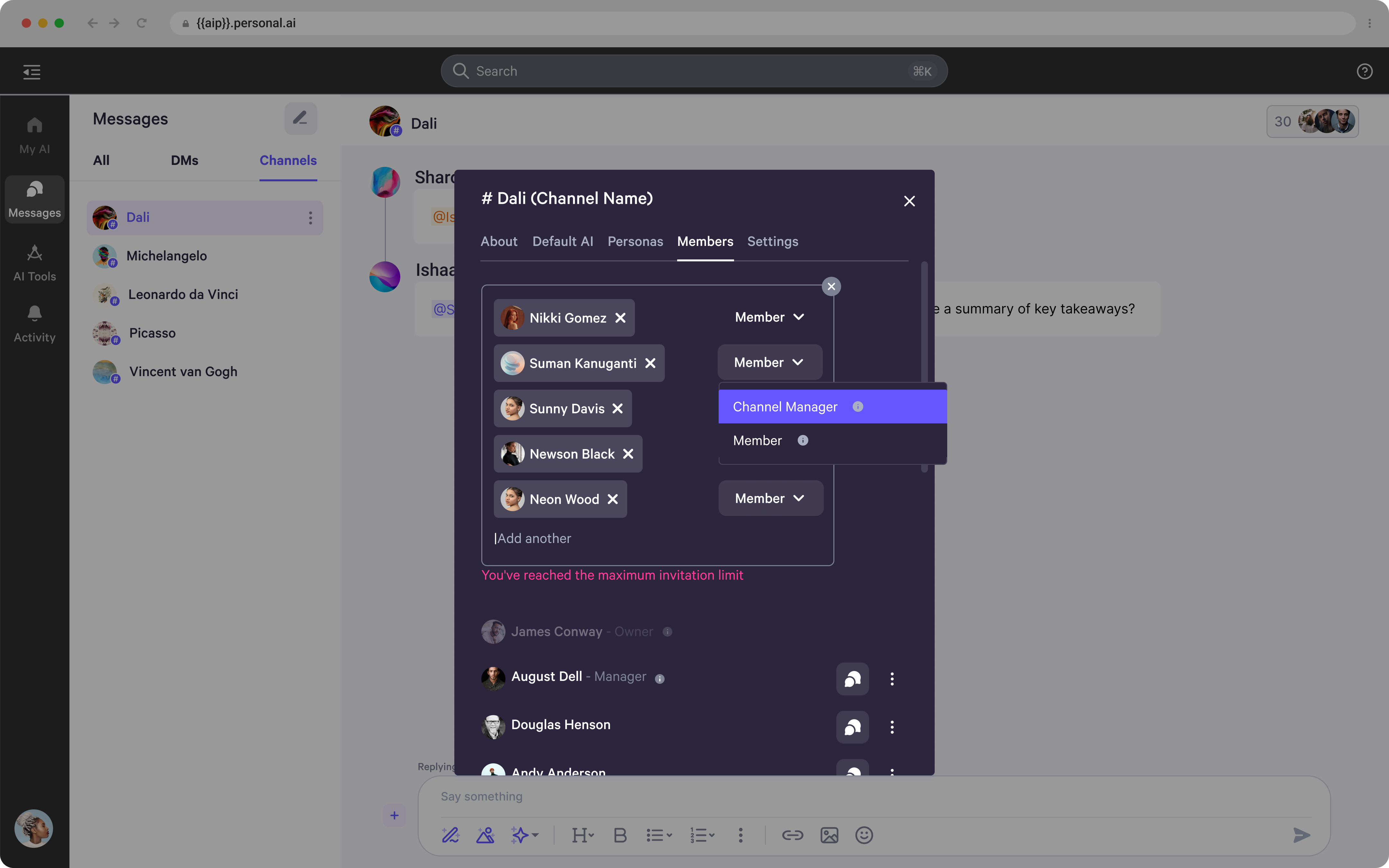
 ### Channel Settings - Members
* In the next tab of **Channel Settings**, you can manage current members, view their details, and invite new members to join the channel.
### Channel Settings - Members
* In the next tab of **Channel Settings**, you can manage current members, view their details, and invite new members to join the channel.
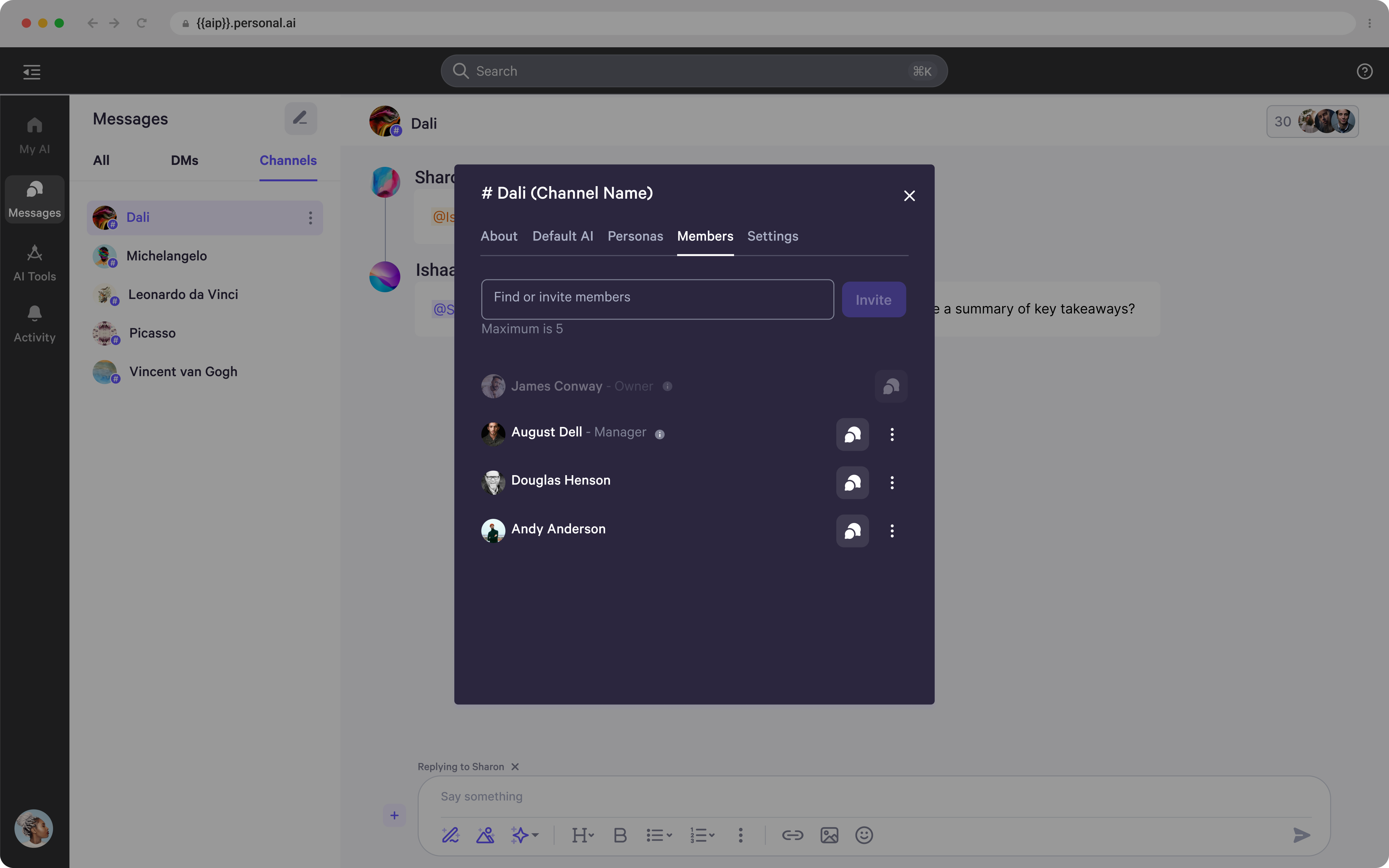 * To manage current members, click the three dots next to their name to **transfer channel ownership** or **assign/reassign their role** as a **Channel Manager**.
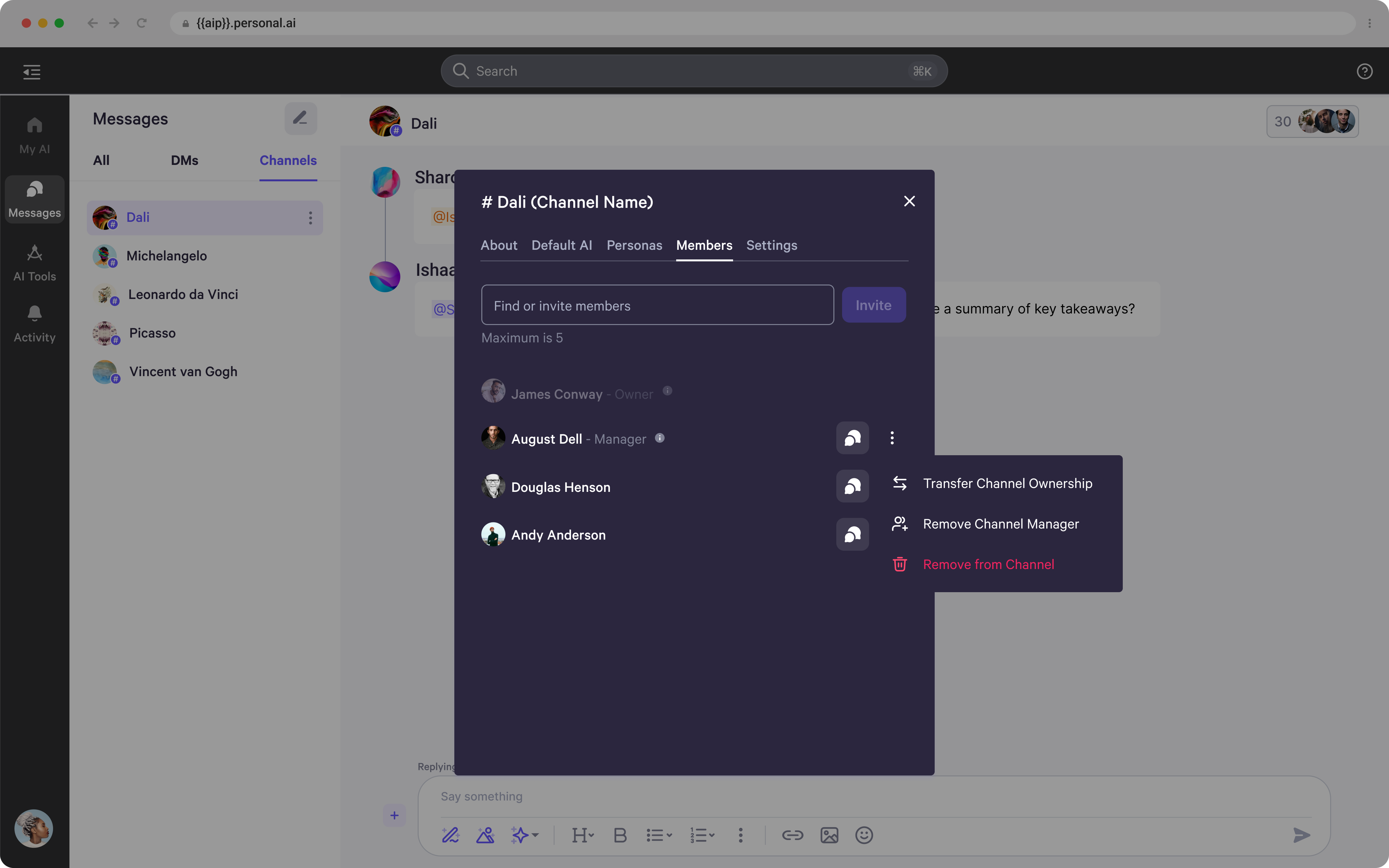 * When inviting new members, you can assign roles such as **Channel Manager** or **Member**. Hover over the **"i"** symbol to view more details about each role and its permissions.