> ## Documentation Index
> Fetch the complete documentation index at: https://docs.personal.ai/llms.txt
> Use this file to discover all available pages before exploring further.
# Settings for Workspace Owners
Workspace Owners are the highest-level administrators who have complete control over the workspace. They manage the organization's structure, billing, and have full administrative powers. Think of them as the workspace's executive leadership - they make critical decisions about workspace configuration and user management.
* Under **Personal Settings**, you can manage your profile settings, including your name, email address, API key, accessibility options, and the option to delete your account.
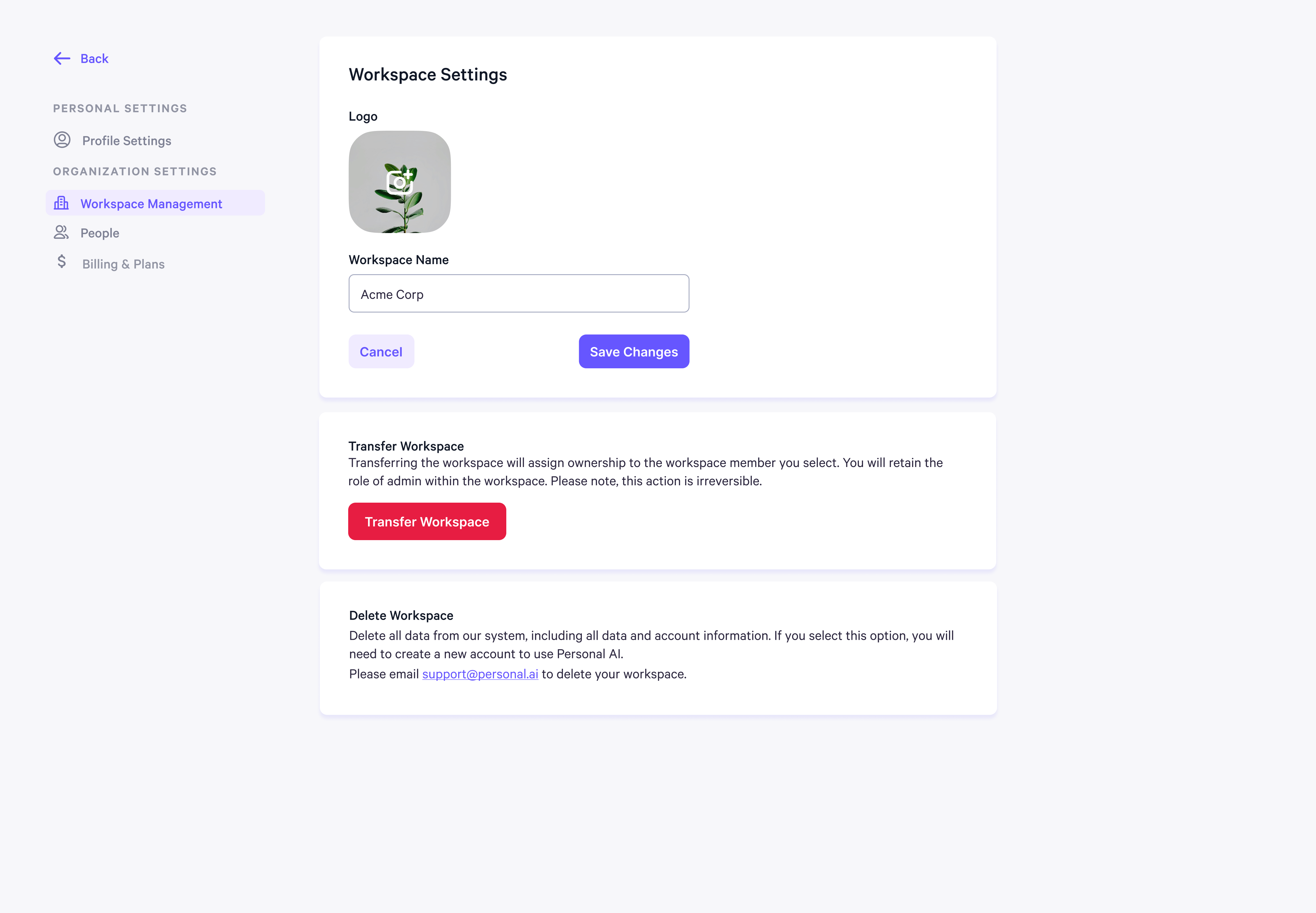
.png?fit=max&auto=format&n=nqbh5dXcH8PAj8av&q=85&s=63d99bf322197447f891aa0ca7db126c) * Under **Organizational Settings**, you can manage **Workspace Management** settings, including the workspace name, logo, and the option to transfer the workspace to another user. You can also delete the workspace from this section.
* Under **Organizational Settings**, you can manage **Workspace Management** settings, including the workspace name, logo, and the option to transfer the workspace to another user. You can also delete the workspace from this section.
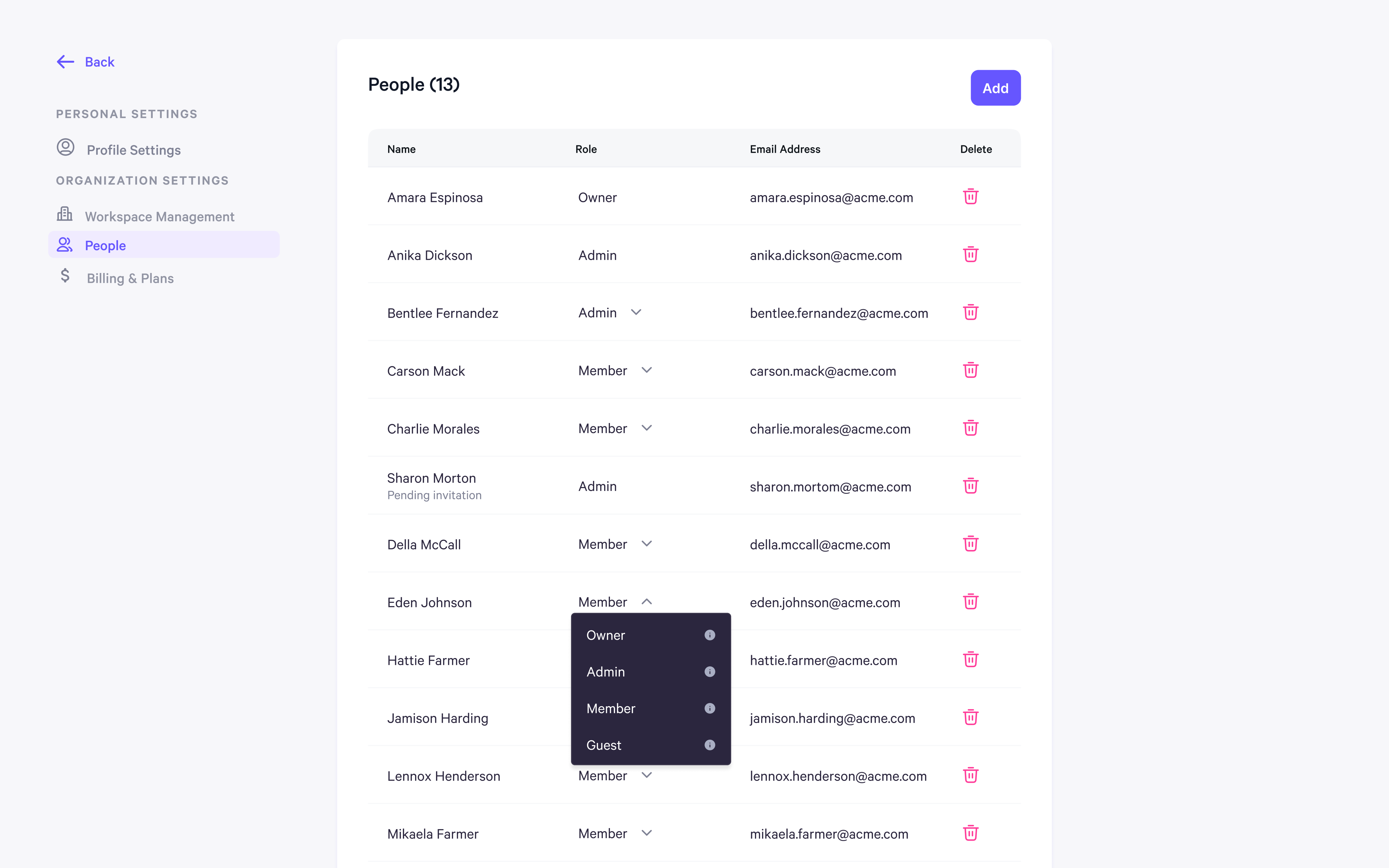
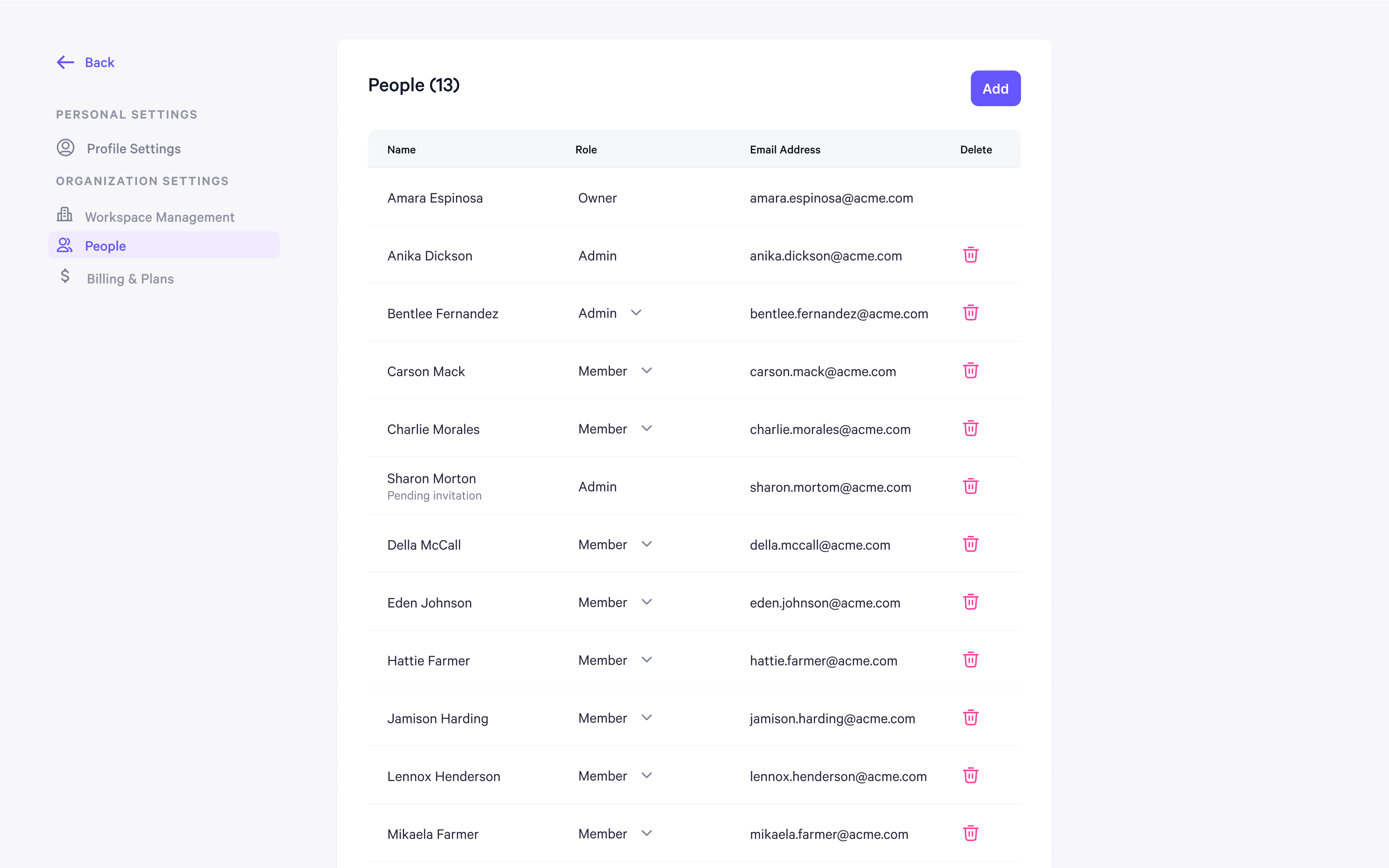
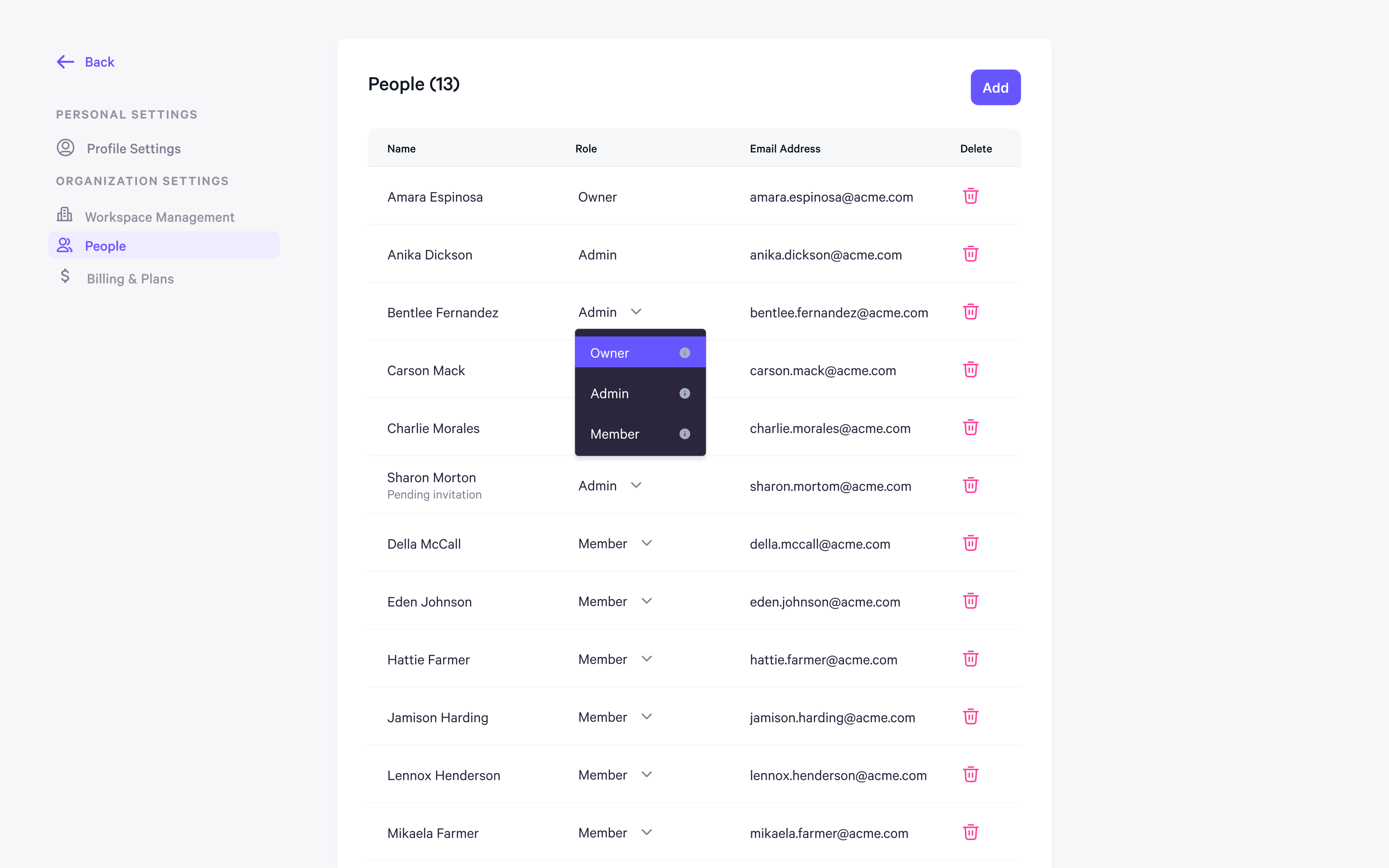
 * Under **Organizational Settings**, you can manage **People** settings, where you can view members' names, email addresses, and their roles within the workspace.
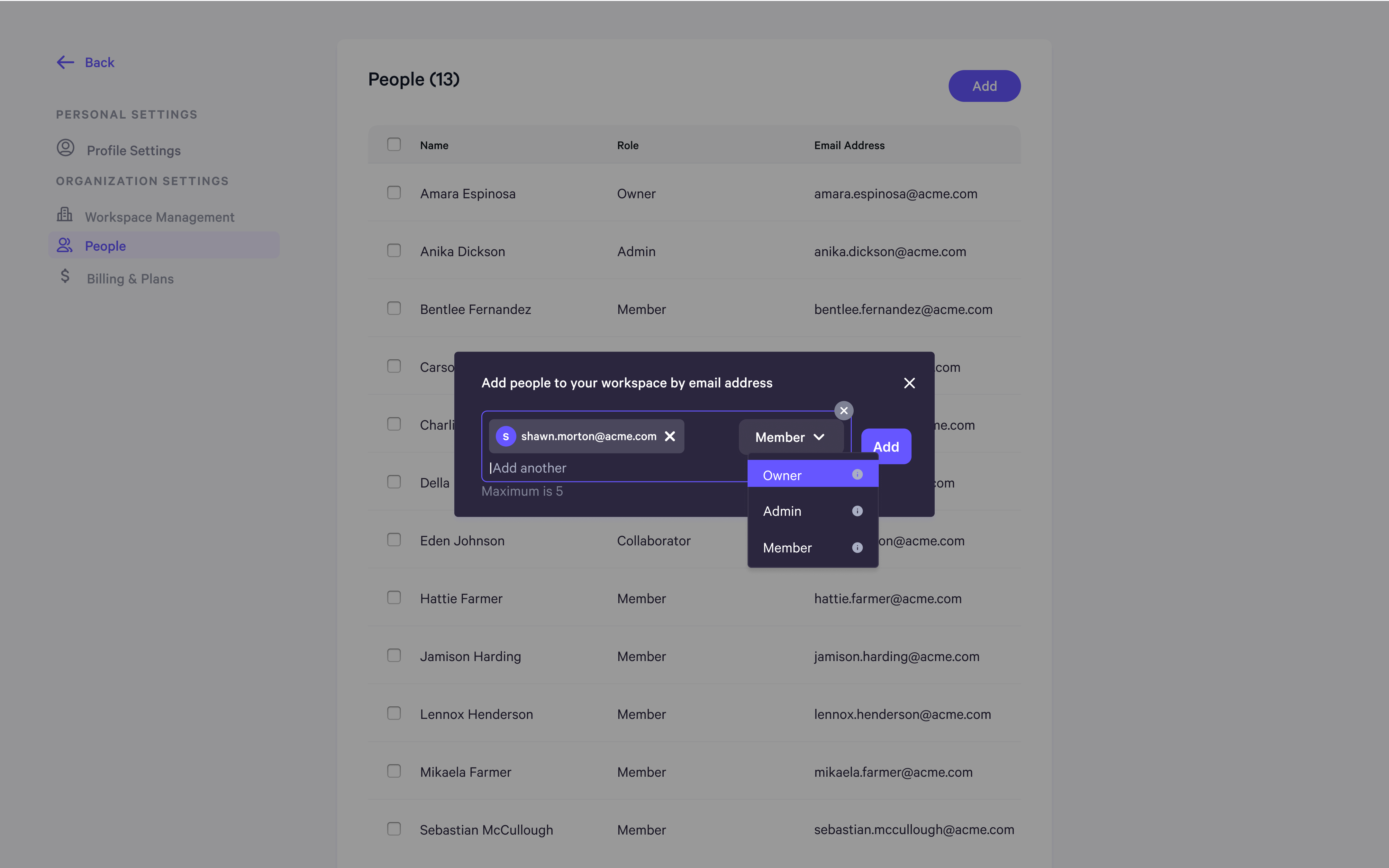
 * From there, you can add new members and assign them a role using the dropdown menu. The available roles are **Owner**, **Admin**, and **Member**.
 * You can also update these roles later from the **People** settings page if you need to make any changes.
 * If the invitee has a **Guest** role, it will also be displayed on the page.